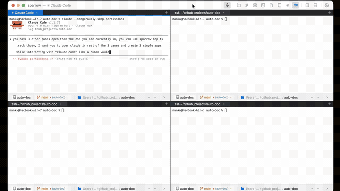
sparrow-terminal brings agent control to the local command line
sparrow-terminal, from Sagarmk, is a terminal emulator that lets AI agents control local shells and sessions for developer workflows. It implements the Model Context Protocol to give language models direct access to panes, command execution, file management, and MCP server-client operation. The app includes zero-latency voice input, integrated git tools, a sidebar file explorer, and SSH profile management. It targets developers, AI researchers, and power users who need agent-driven local automation and investigation.
What tasks can you actually use it for?
Sparrow functions as a bridge between language models and the shell, so you can run agent-driven workflows that create panes, execute complex shell commands, and manipulate files. Its MCP Server Integration lets agents operate terminal sessions directly. Typical outcomes include multi-pane development sessions, scripted file edits produced by an assistant, and agent-managed remote sessions via saved SSH profiles. The terminal therefore acts as both an interactive shell and an agent control surface.
How reliable are AI-driven terminal actions?
The tool permits agents to autonomously run commands and manage sessions, which changes system state rather than returning only advisory text. That capability means generated actions are functional but require human oversight: verify any agent-issued command before applying it to critical systems. Use agents for repetitive or well-specified tasks, and treat ad-hoc or elevation-requiring commands with extra review to avoid unintended side effects.
What inputs and environments does it accept, and what are the limits?
Sparrow accepts voice, keyboard, and file interactions, with on-device speech recognition so voice commands process locally. It supports split panes, tabs, a sidebar file explorer, and persistent SSH profiles, and it runs as an MCP-compatible server and client environment. The app is designed for macOS 12.0 and above with native Apple Silicon support, so deployment is focused on that platform rather than cross-platform desktop fleets.
Does it fit naturally into a developer workflow?
The terminal groups command shell, git workflow, and file navigation into a single workspace: built-in staging, shelving, and inline diffs aim to reduce context switching inside the terminal. Zero-latency voice input and pane layouts speed iterative tasks for users who rely on agents. Within the MCP developer community the tool is noted as a specialized utility for agent-centric development, making it most relevant where agents are already part of the toolchain.
Who should adopt it and how to treat agent control
The app is a practical option for macOS developers and researchers who need an agent-capable local shell, particularly in single-machine or agent-centric projects. Given that the developer builds other MCP tools and the terminal exposes autonomous command execution, adopt it with confirmation workflows and version-control checkpoints. Use it as an assistive execution layer while retaining human review for any commands that alter production systems.